How do I bulk import members?
Upload a spreadsheet of your whole membership and invite everyone at once.
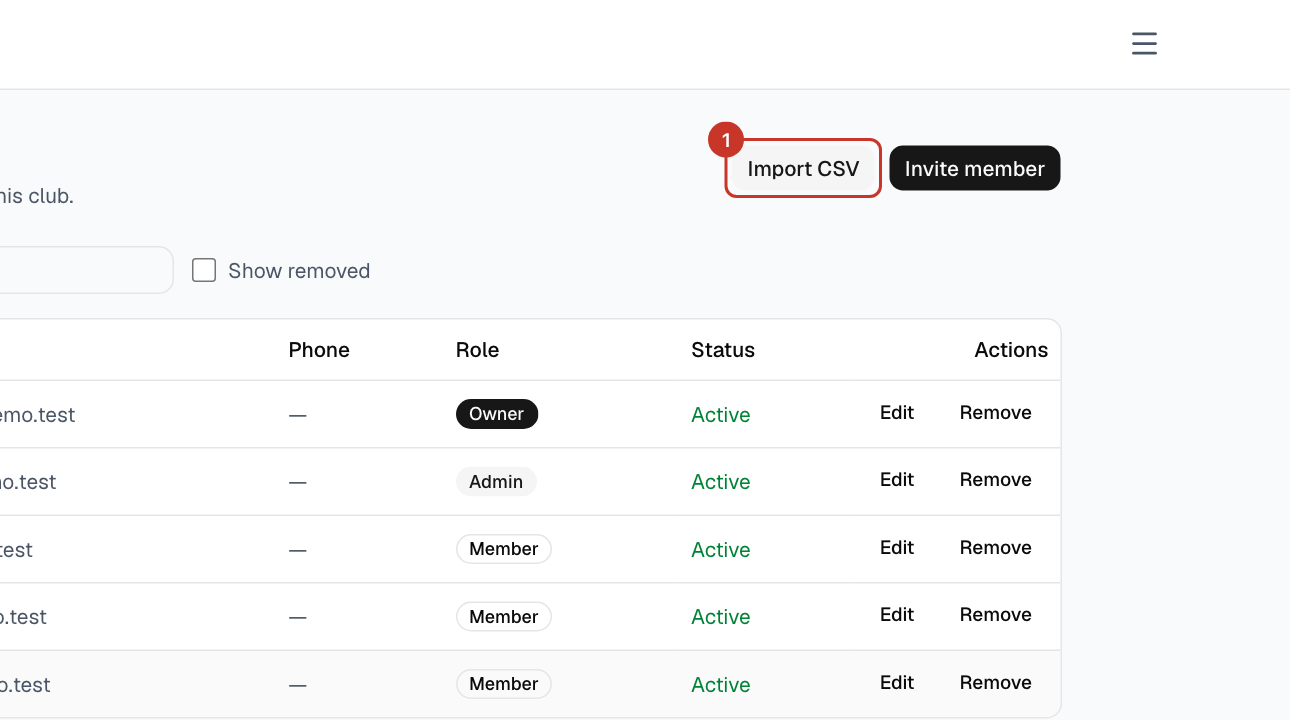
Step 1: Open the menu (☰), select Members, then Import CSV.
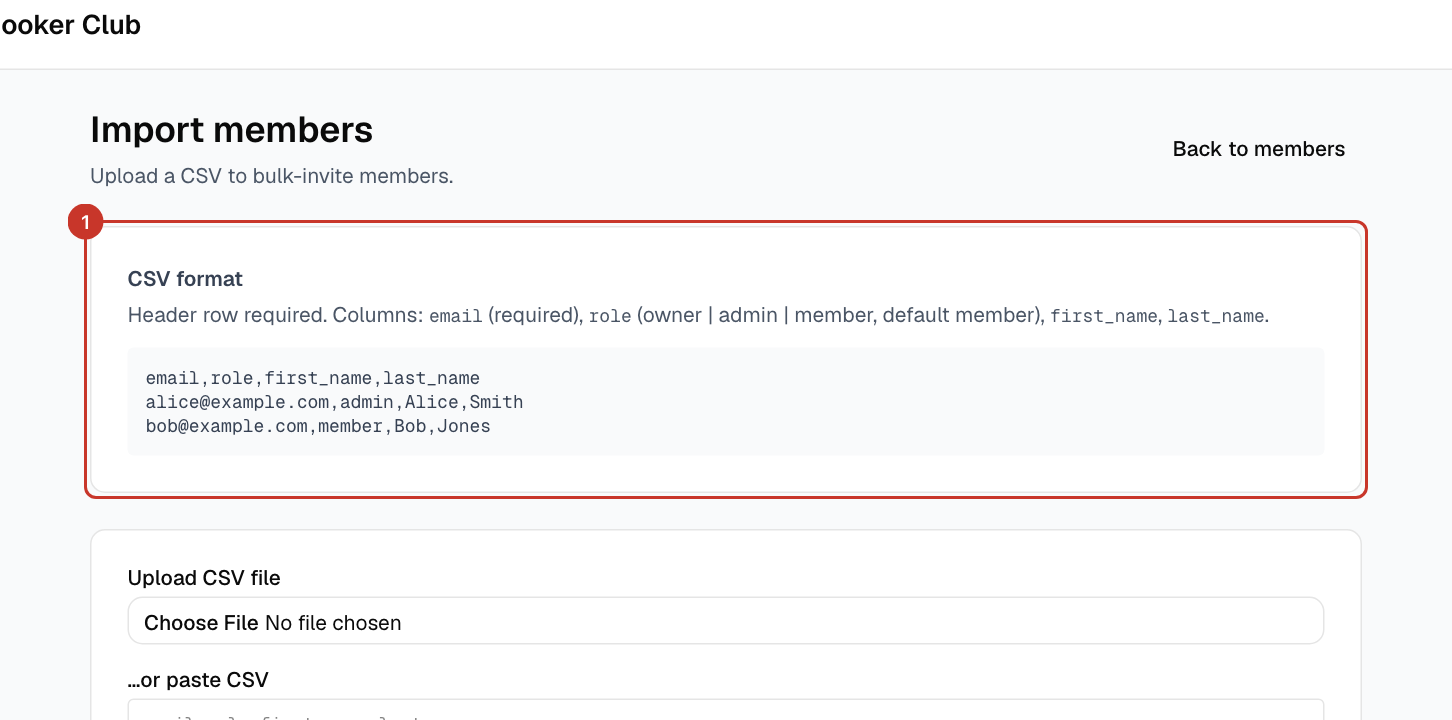
Step 2: The CSV format box shows the columns and an example to copy.
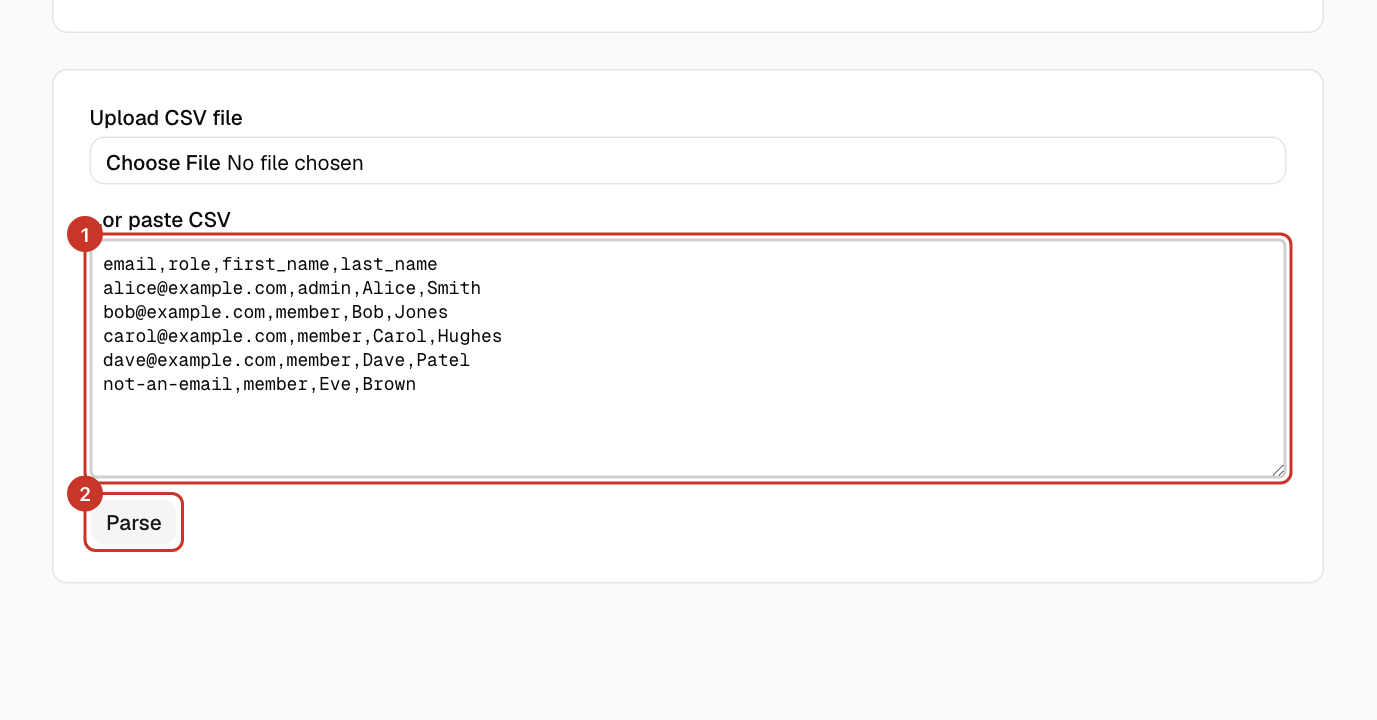
Step 3: Choose your file under Upload CSV file, or paste the text under …or paste CSV, then select Parse.
Step 4: Check the preview. It shows how many rows are valid and invalid, and why a row is invalid, for example Invalid email address. Fix the CSV and parse again if needed.
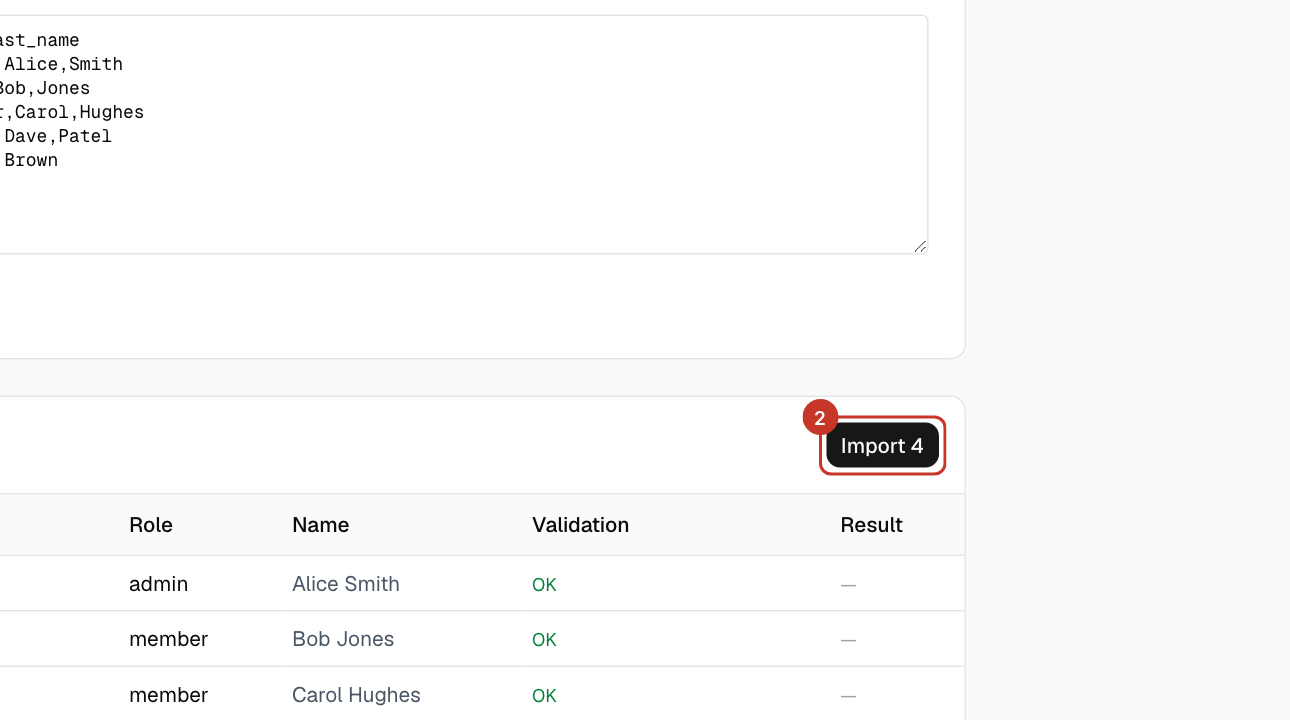
Step 5: Select the Import button, which shows how many valid rows will be imported. Only valid rows are sent.
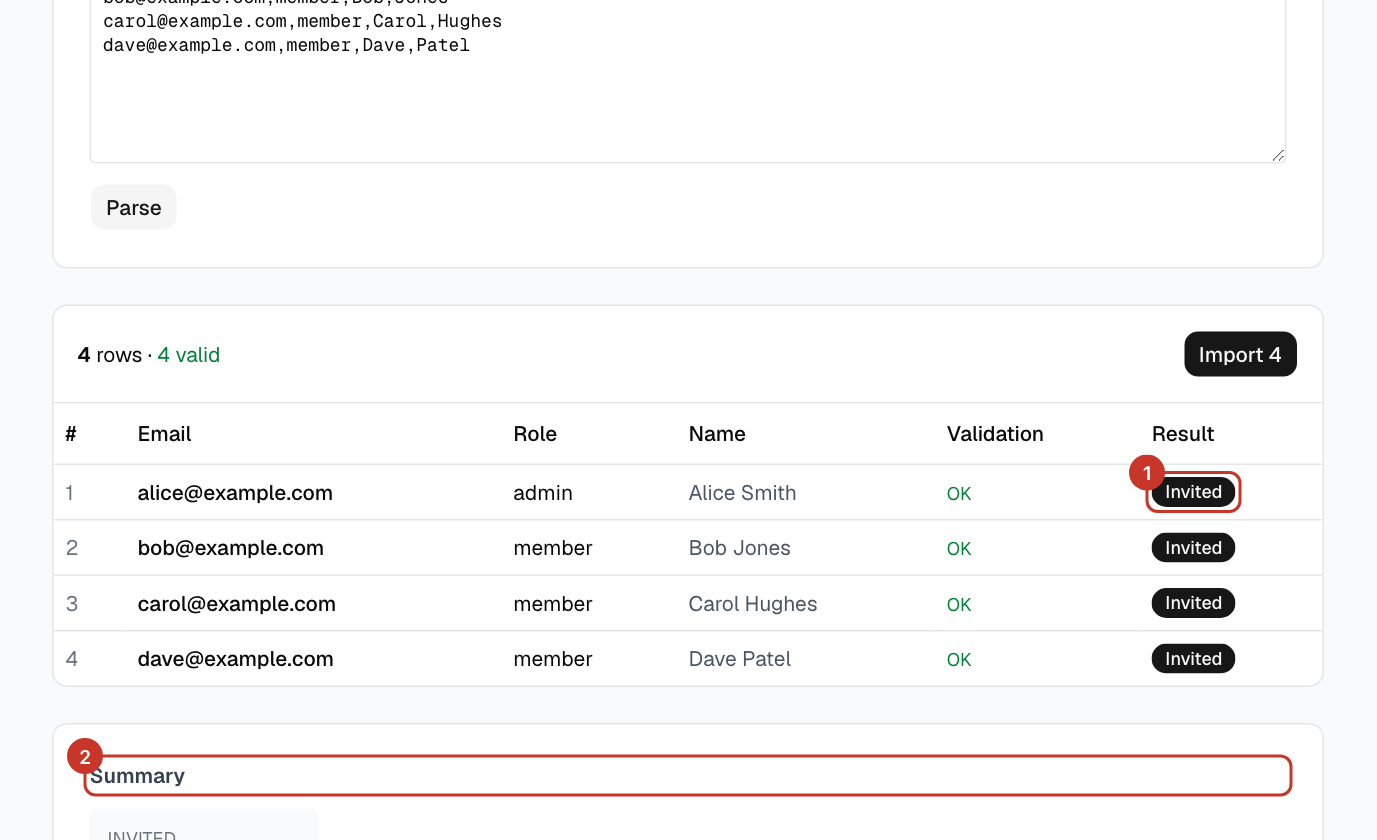
Step 6: When it finishes, the table shows a result for each row, and a Summary counting each result.
Step 7: Rows that did not go through are marked in red, with the reason. Select Retry N failed to send just those rows again (people already imported are not sent again), or Download failed rows (CSV) to fix them in a spreadsheet.
What happens next
- Each row ends as Invited (new person, email sent), Added or Reactivated (existing account or removed member), Already a member, Rate limited, Error or Invalid.
- Anyone Invited receives the invitation email and sets their password: How do I accept my invite?. Until they do, they show as Pending invite on the Members list, and the link expires after 24 hours — use Resend invite on their row if it does.
If something goes wrong
- Some rows say Rate limited.
- The email service limits how many invitations can be sent in a short time. Wait a few minutes, then select Retry N failed under the results.
- Everything is invalid.
- Check the first line is a header row with
emailspelled exactly, and that columns are separated by commas. - I want some people to be admins.
- Put
adminin theirrolecolumn. Only owners can importowner.