For: Owner, Admin2 min
How do I manage someone else’s booking?
Book on a member’s behalf, change a booking or cancel it with a reason.
Step 1: Open Make a booking. As an admin you always see member names, whatever the calendar privacy setting is.
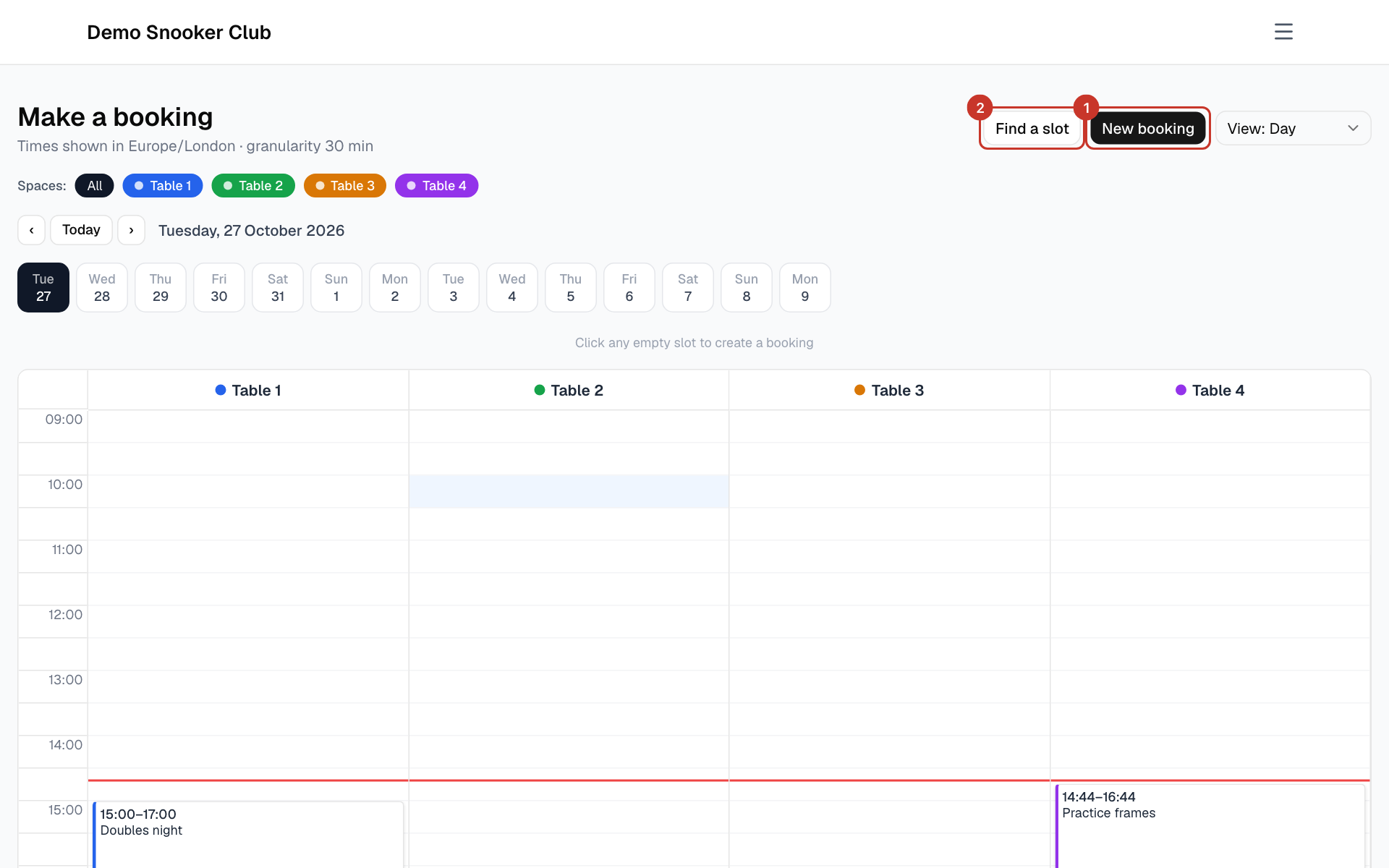
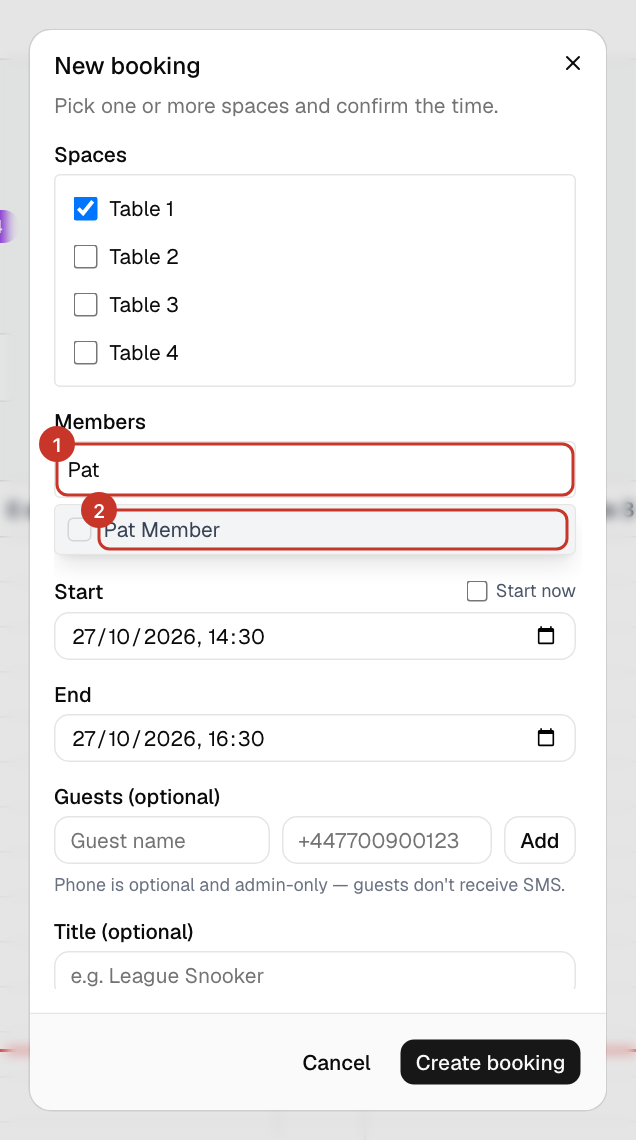
Step 2: To book for a member, select New booking, choose the table and times, and add the member under Members. Admins are not limited by the member booking horizon.
Step 3: To change a booking, open it. Edit, Reschedule, Extend and End now work as they do for members: How do I change or cancel a booking?.
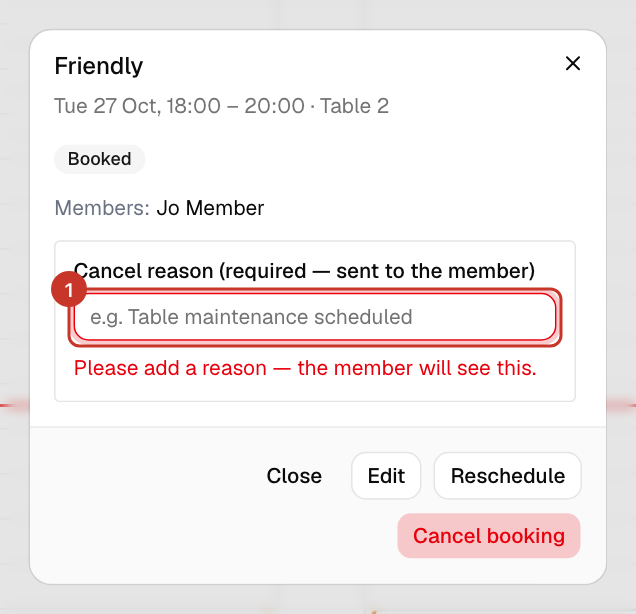
Step 4: To cancel someone else’s booking, type a Cancel reason — it is required and sent to the member — then select Cancel booking. Confirm in the browser prompt that follows.
What happens next
- Everyone on the booking is emailed. When you cancel, the reason you typed is included.
If something goes wrong
- It says a reason is required.
- When you cancel another member’s booking the reason is mandatory, as the member will see it. Cancelling your own booking, the reason is optional.