For: Owner, Admin2 min
How do I change a role or remove a member?
Edit a member’s details and role, fix their email address, or remove them.
Step 1: Open the menu (☰) and select Members. Use the search box to find someone by name, email or phone.
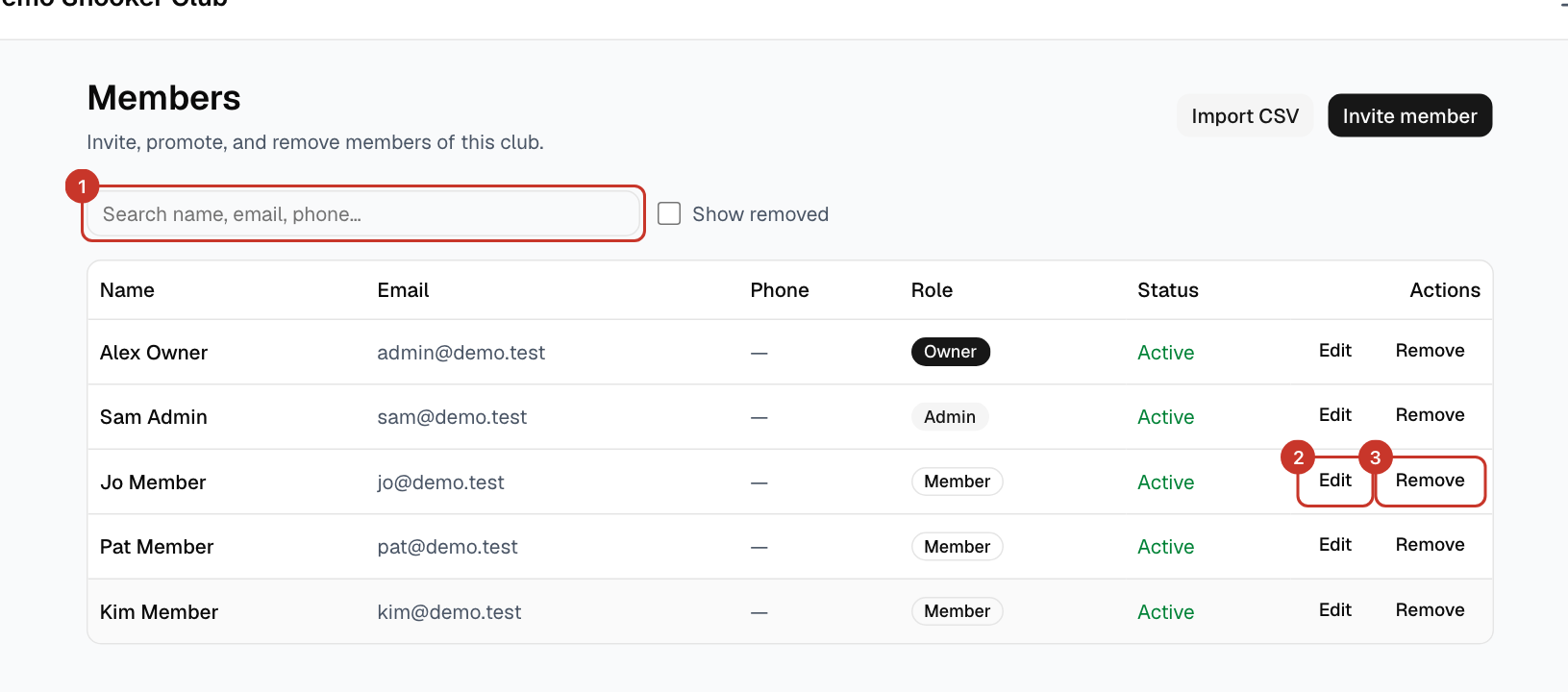
Step 2: Select Edit on their row. Change their First name, Last name, Phone or Role, then select Save.
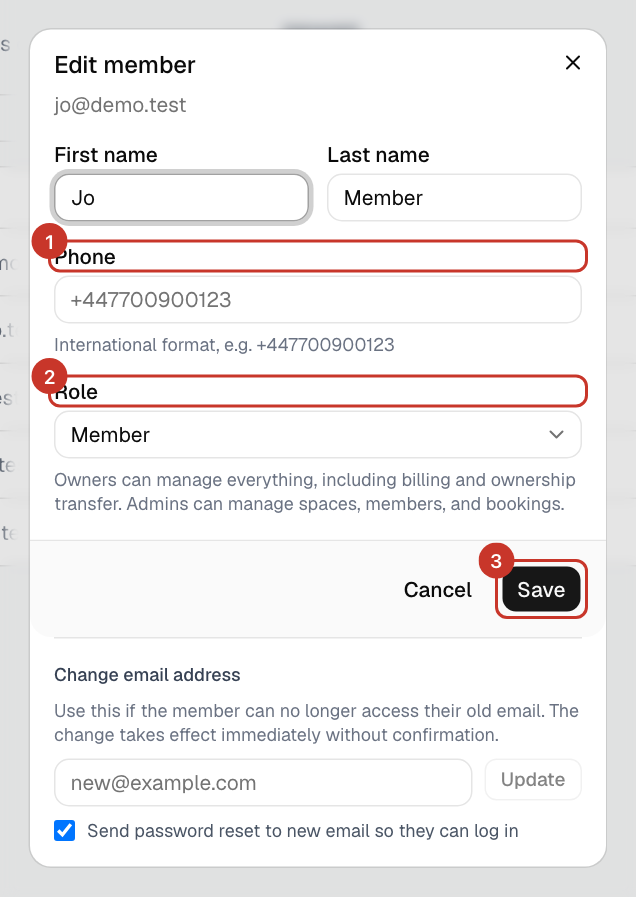
Step 3: Owners can manage everything, including ownership transfer. Admins can manage spaces, members and bookings. Members can book.
Step 4: If someone can no longer use their old email address, use Change email address in the same window. It takes effect immediately without confirmation; tick the option to send a password reset to the new address.
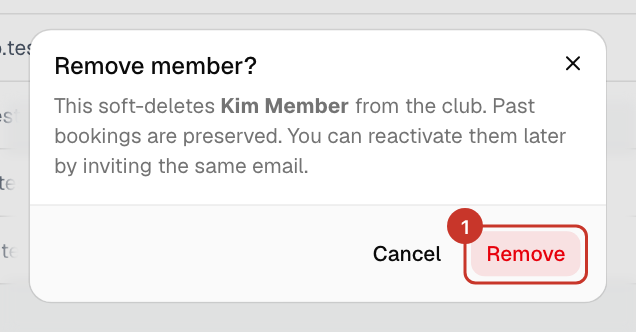
Step 5: To remove someone, select Remove and confirm. They lose access, but their past bookings are kept.
What happens next
- Removed people are hidden from the list. Tick Show removed to see them.
- To bring someone back, invite the same email address again: How do I invite a member?.
If something goes wrong
- I cannot give someone the Owner role.
- Only the current owner can. To hand the club over completely, see How do I hand the club to a new owner?.