How do I change or cancel a booking?
Edit who is playing, move it to another time, extend it, or cancel it.
Step 1: Open the booking by clicking it on the calendar, or from My bookings. The buttons shown depend on whether it has started.
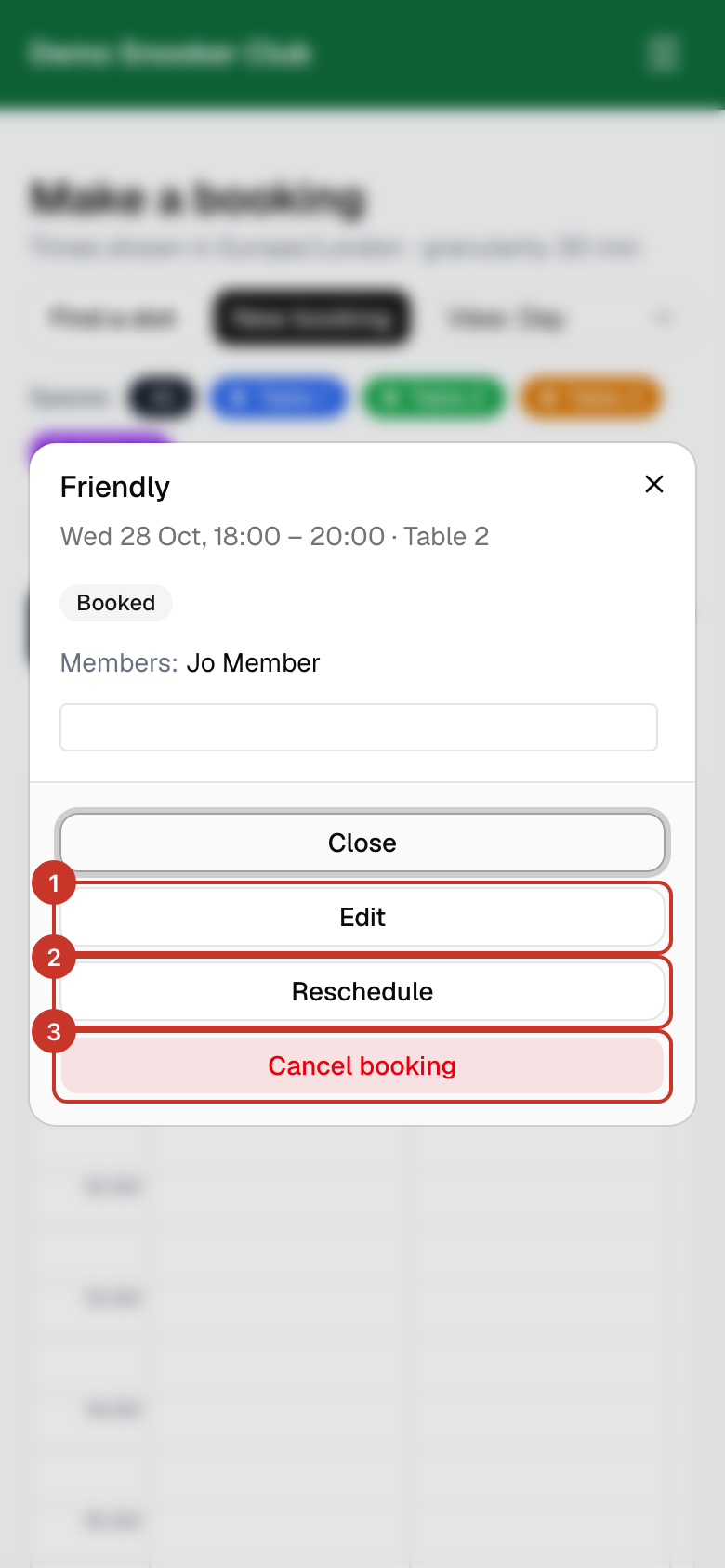
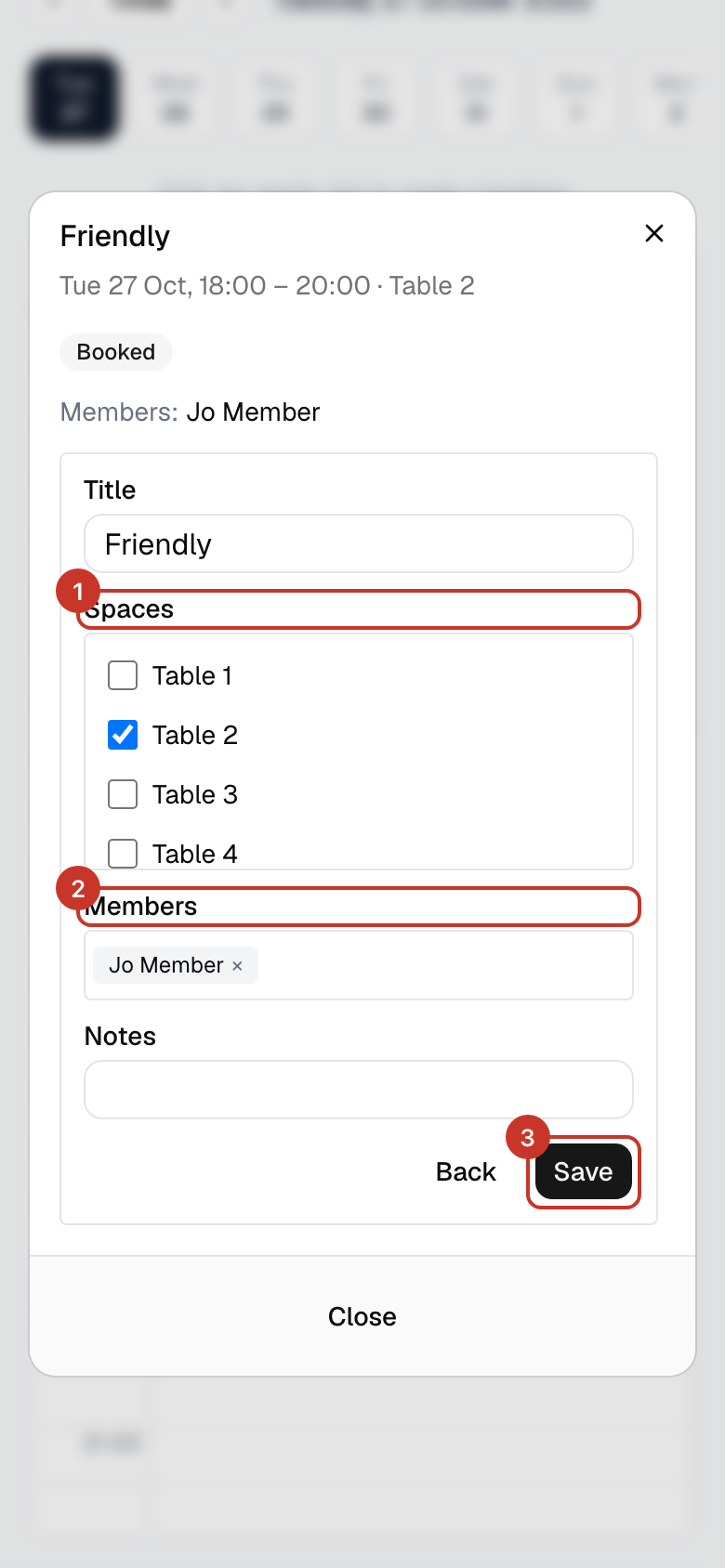
Step 2: Edit changes the table, the members on it, the title and notes. Select Save when done.
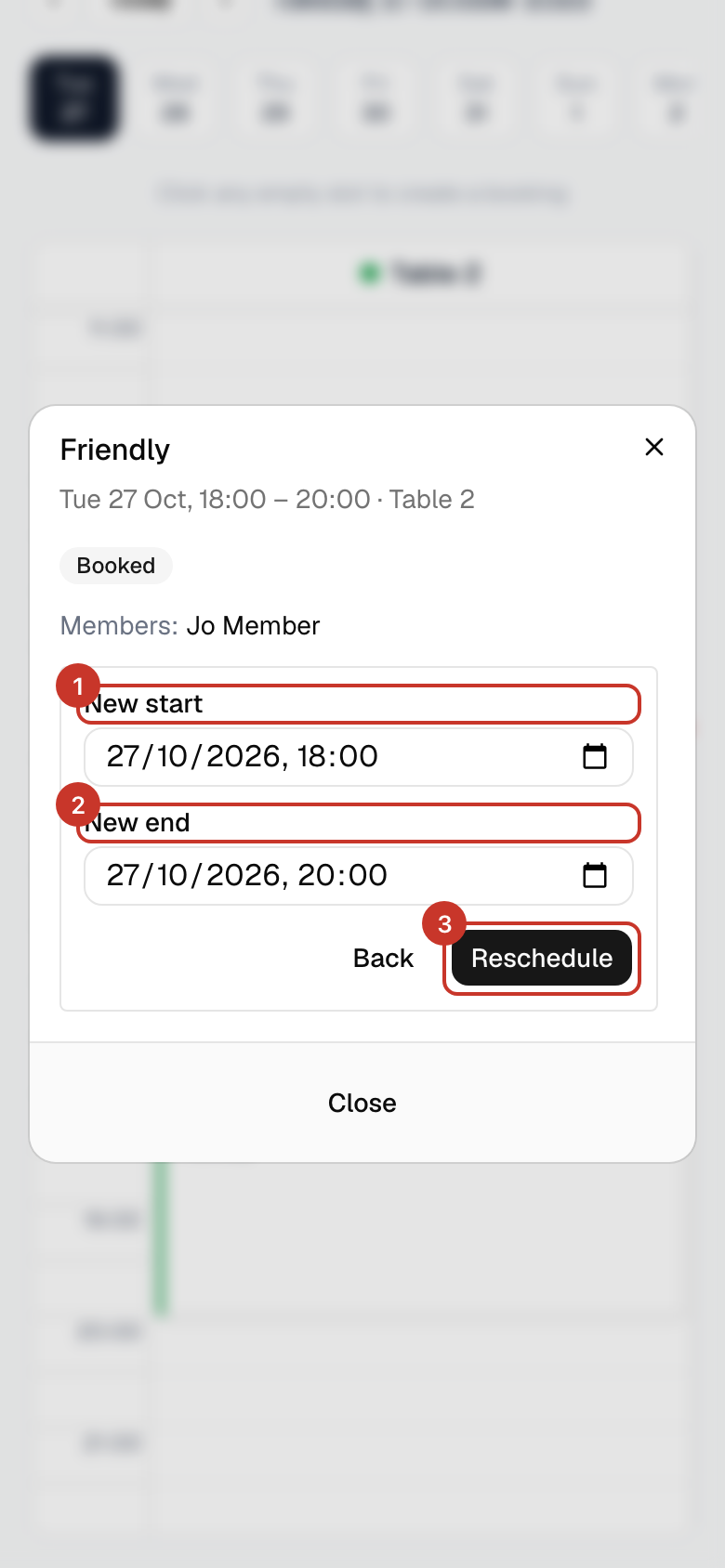
Step 3: Reschedule moves a booking that has not started. Choose New start and New end and select Reschedule.
Step 4: Once a booking has started you can Extend the end time or select End now to finish early and free the table.
Step 5: To cancel, select Cancel booking. For a repeating booking, first choose Just this occurrence, This and all future occurrences or All occurrences (entire series).
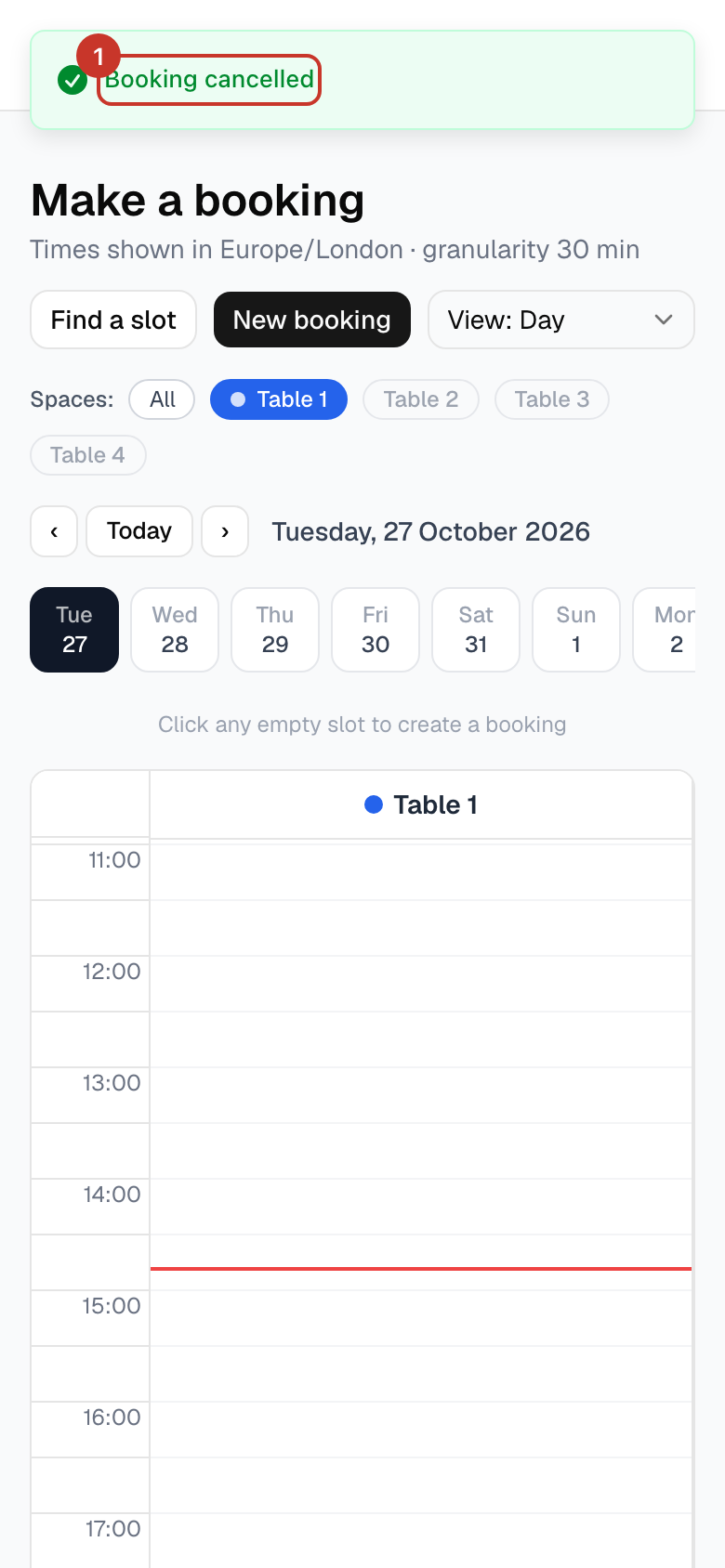
Step 6: Your browser asks you to confirm: "Cancel this booking? Everyone on the booking will be emailed. This cannot be undone." Choose OK to cancel, or Cancel to keep the booking. You will see Booking cancelled.
What happens next
- Everyone on the booking is emailed when it is cancelled or when they are removed from it.
If something goes wrong
- There is no Reschedule button.
- Reschedule is only available before the booking starts, and not for bookings in a repeating series. Edit the booking or cancel it and make a new one.
- I cannot cancel someone else’s booking.
- Members can only cancel their own bookings. Ask the person, or a club admin.
- I cancelled by mistake.
- Cancelling cannot be undone. Make a new booking for the same slot if it is still free. That is why the app asks you to confirm first.