For: Member1 min
How do I update my details and phone number?
Change your name, add a mobile number for SMS reminders, or change your email.
Step 1: Open the menu (☰) and select My profile.
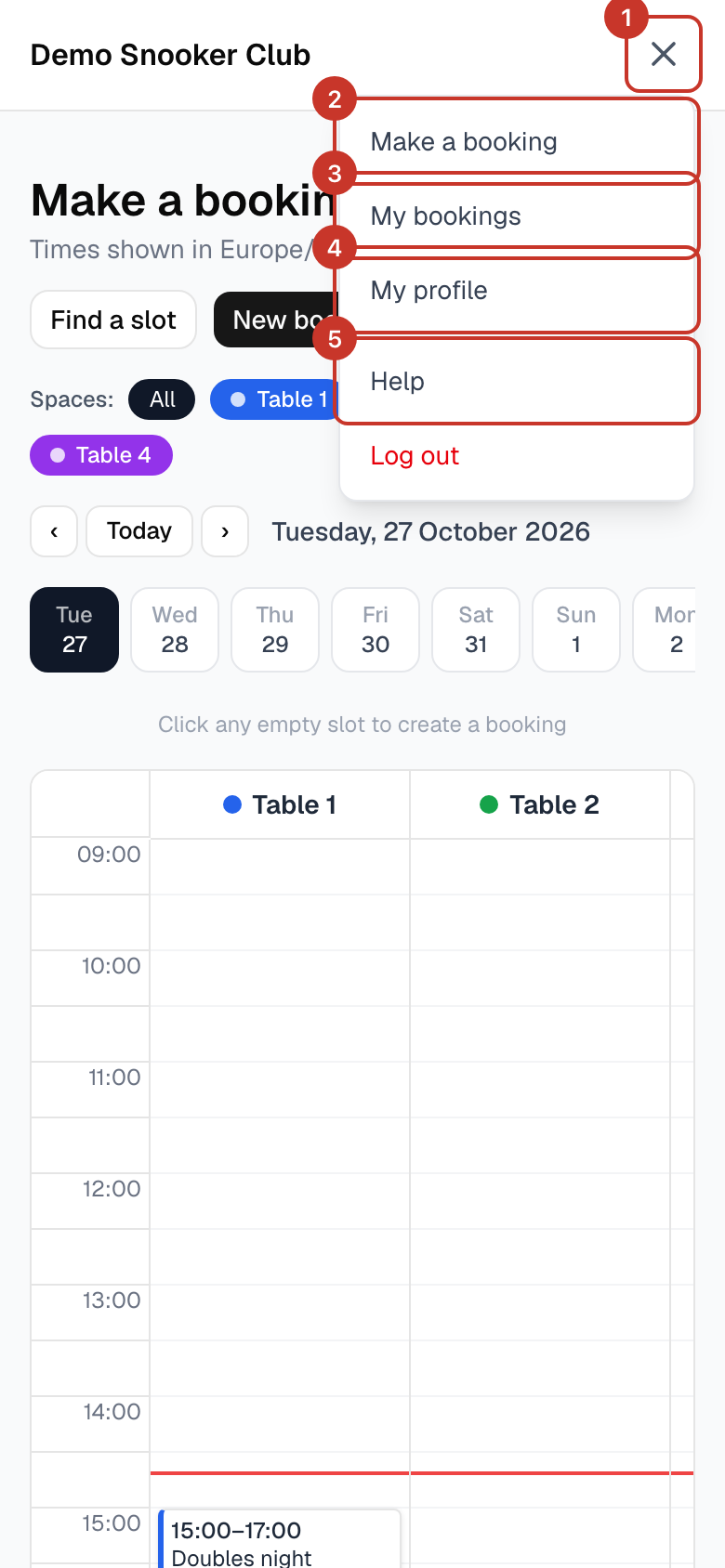
Step 2: Edit your First name, Last name and Phone. Use international format, for example
+447700900123.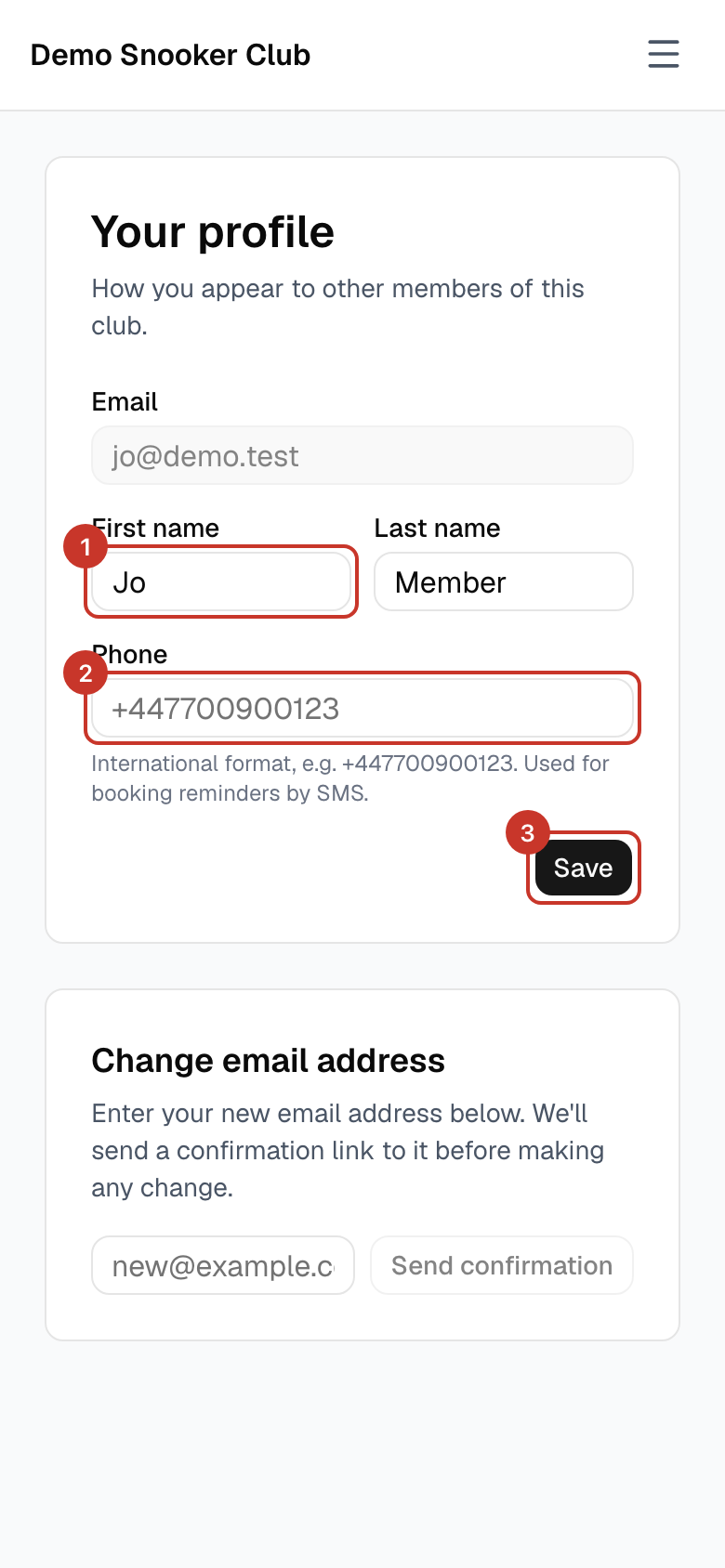
Step 3: Select Save. You will see Profile saved.
Step 4: To change your email address, enter the new address under Change email address and select Send confirmation. We send a link to the new address first, and nothing changes until you open it.
What happens next
- Your name appears to other members as set here.
If something goes wrong
- It says my phone number is not valid.
- Start with
+and the country code, for example+44for the UK, and drop the leading 0:+447700900123. - I can no longer reach my old email address.
- Ask a club admin. They can change your email straight away from the Members page.