For: Member1 min
Why and how do I check in?
Some clubs ask you to confirm you have arrived, so unused tables are freed up.
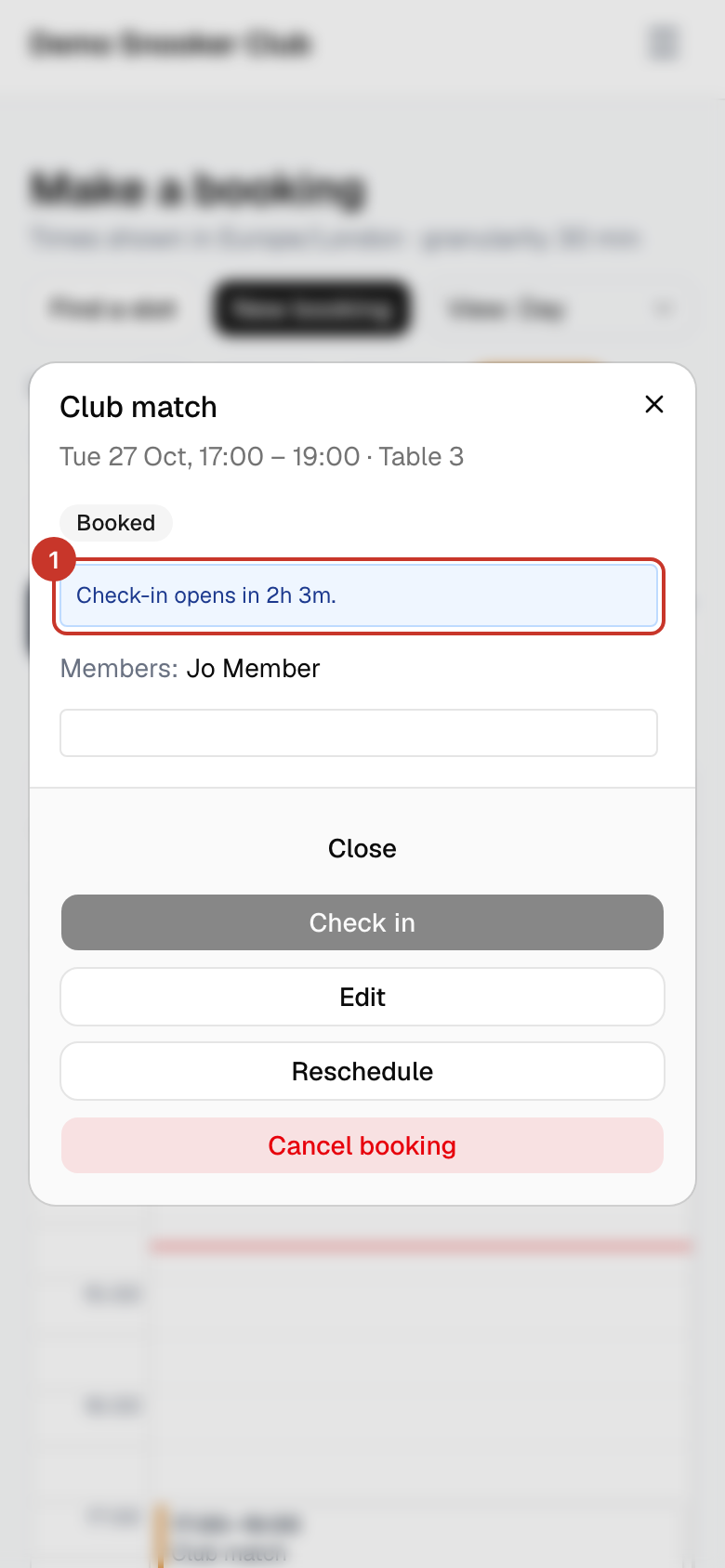
Step 1: Open your booking from the calendar or My bookings. Before the window opens it says when check-in opens, and Check in is greyed out.
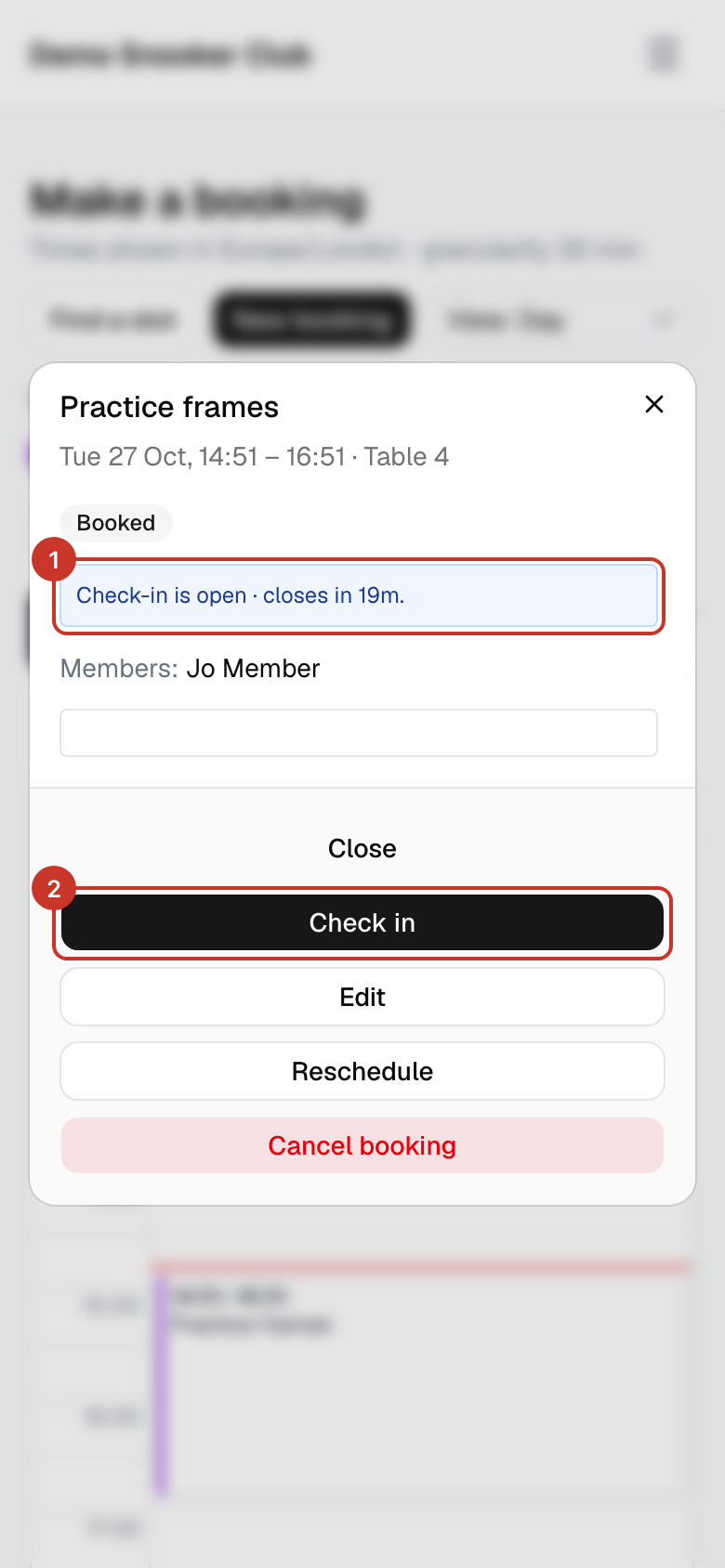
Step 2: Once it is open, the booking says Check-in is open and shows how long is left. Select Check in.
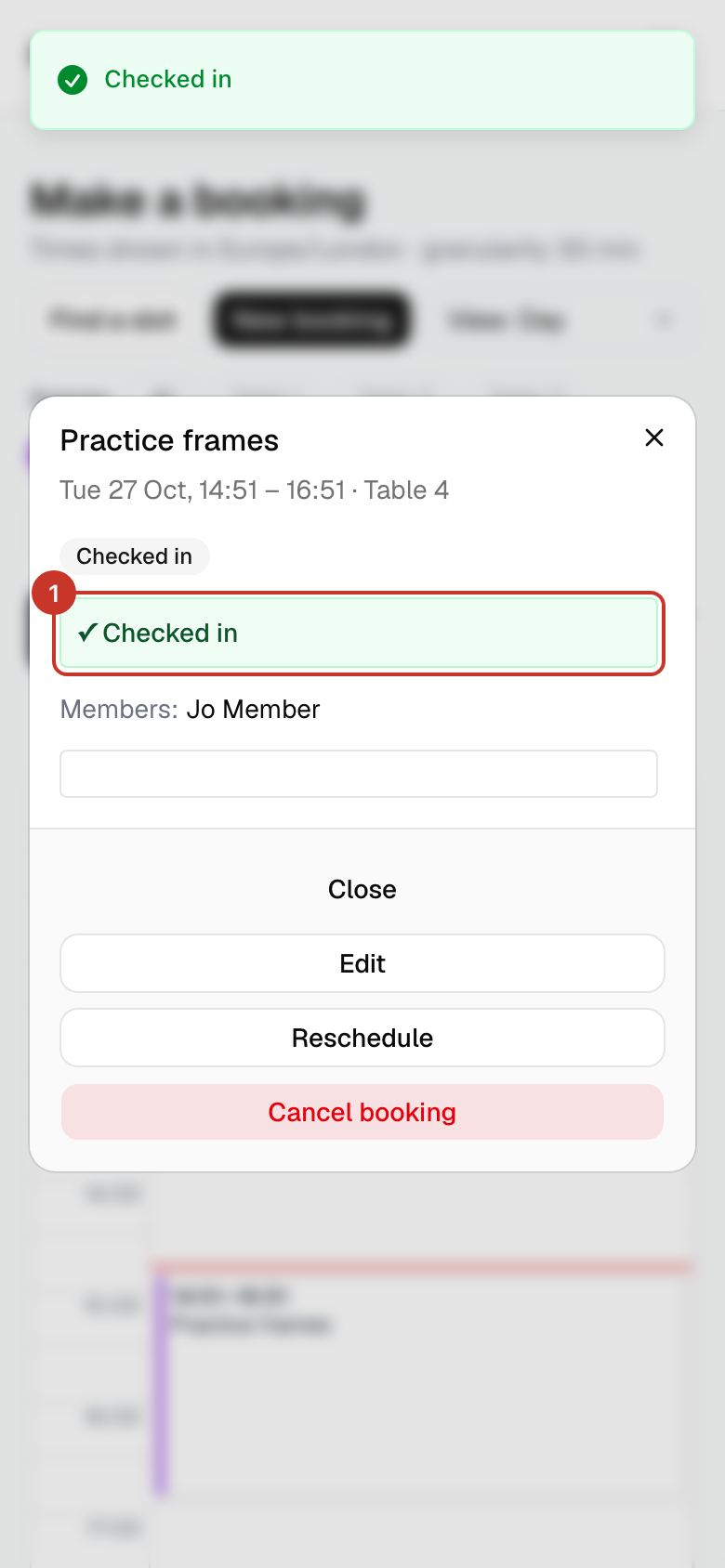
Step 3: A green ✓ Checked in message appears and the booking’s status changes to Checked in. The window closes by itself after a moment.
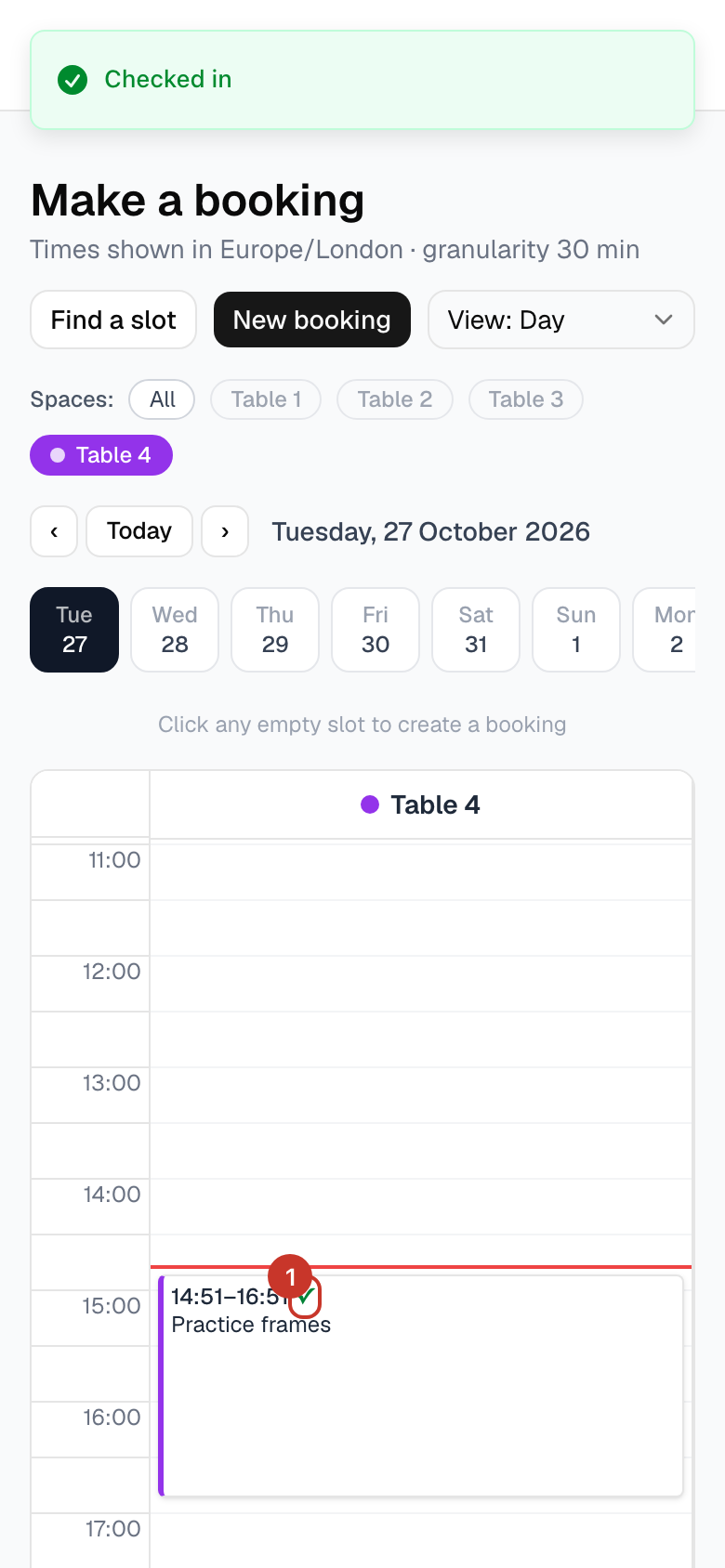
Step 4: Back on the calendar, your booking carries a green tick (✓) while it is still running, so staff and other members can see you have arrived.
What happens next
- Why it exists: if nobody checks in by the end of the window, the table is released so someone else can use it.
- If you miss the window the booking is marked as a no-show and cancelled, and you are emailed. If your club uses SMS you also get a text.
- Arrived late and the table is still free? Make a new booking and tick Start now.
If something goes wrong
- Check in is greyed out.
- The window has not opened yet. The button works from the number of minutes before your start time that the booking shows.
- The button has gone and the booking says no-show.
- The window closed before you checked in, so the table was released. Make a new booking with Start now if a table is free, and check in on time next time.
- I do not have a Check in button at all.
- Your club has not turned check-in on for that table.