For: Member1 min
How do I book with a friend?
Add another member to your booking, or a guest who is not a member.
Step 1: Start a booking as in How do I make a booking?. In the New booking window, find Members.
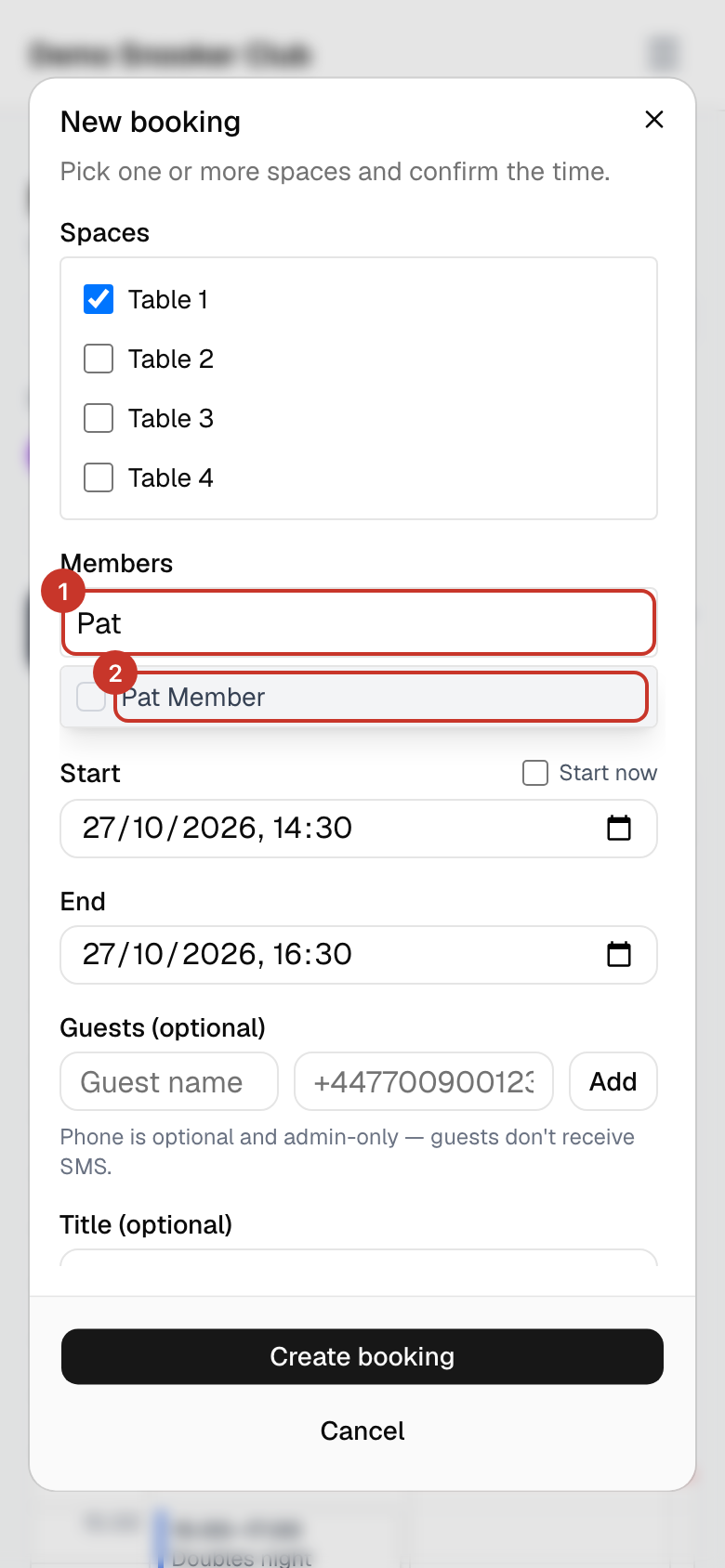
Step 2: Click the Search members… box and type your friend’s name. Tick them in the list.
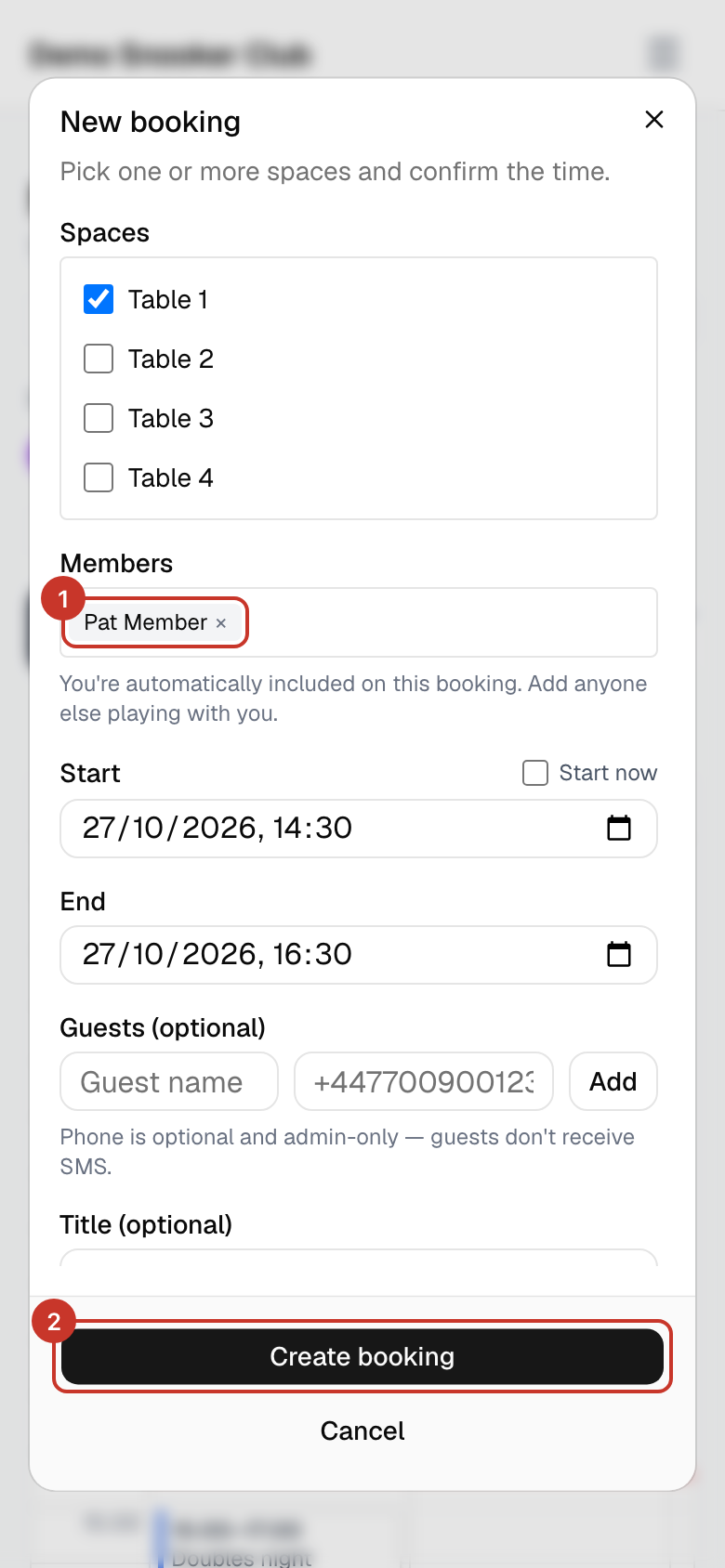
Step 3: They appear as a tag in the box. You are included automatically, so only add the people playing with you.
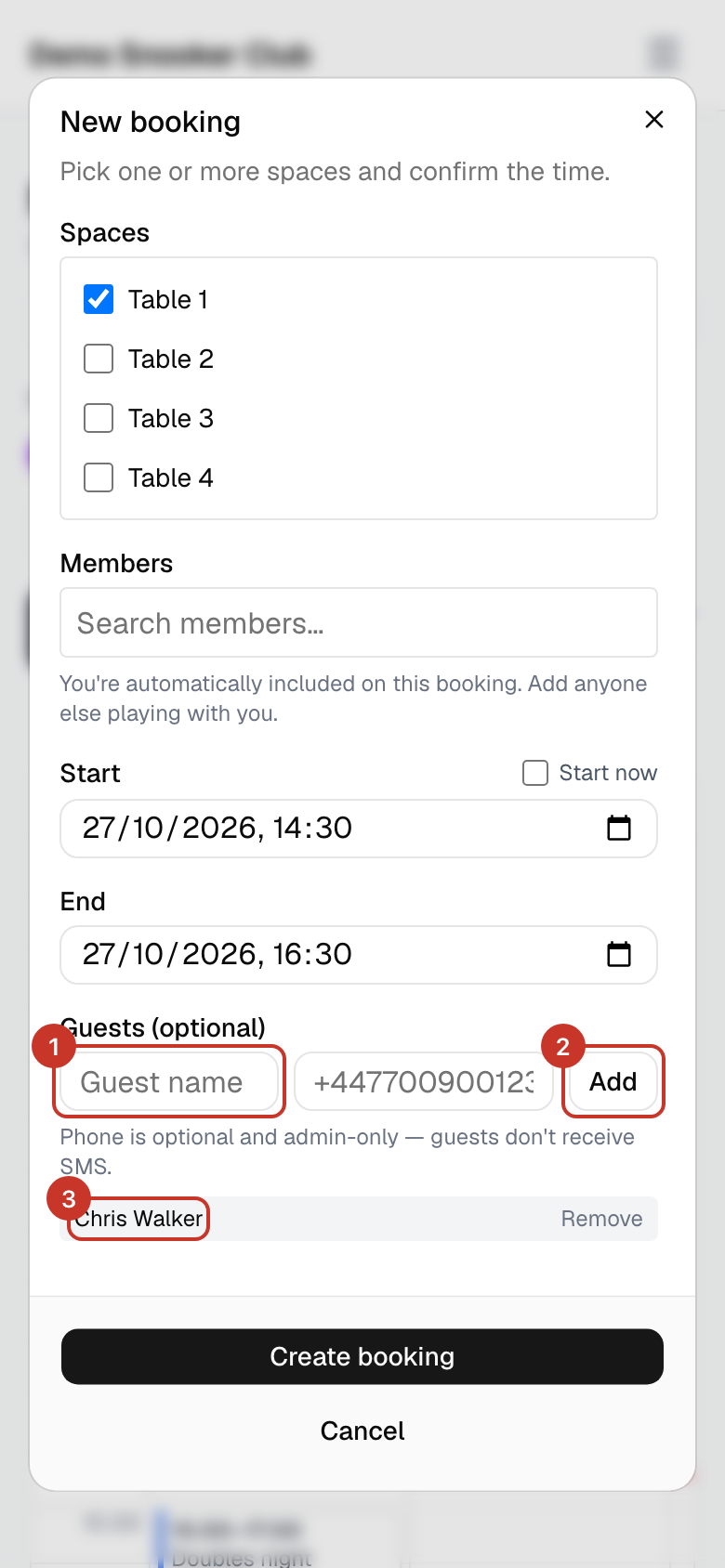
Step 4: Playing with someone who is not a member? Type their name under Guests (optional) and select Add. A phone number is optional and only visible to admins.
Step 5: Select Create booking.
What happens next
- Every member on the booking gets an email. A friend you added receives one like this.
- The booking appears under My bookings for each member on it.
- Guests do not receive emails or text messages.
Subject
Booking confirmed — Your Club
Hi Pat,

Jo Member added you to a booking.

Where:  Table 1
When:   Wed 28 Oct 2026, 18:00–20:00 (Europe/London)
Who:    Jo Member, Pat Member

View in calendar: https://app.bookaspace.uk/clubs/your-club/calendar?booking=…
— Your Club
If something goes wrong
- I cannot find my friend in the list.
- The list only has members of this club. If they have not joined yet, add them as a guest, or ask an admin to invite them.
- I added someone by mistake.
- Open the booking, select Edit, remove them from Members and select Save. They are emailed that they were removed.
- Guests are missing from my weekly repeat booking.
- Guests are not carried into repeating bookings. Add them to each booking separately.