For: Member1 min
Where is everything?
A tour of the menu: booking, your bookings, your profile and switching clubs.
Step 1: Select the menu button (☰) at the top right of any page.
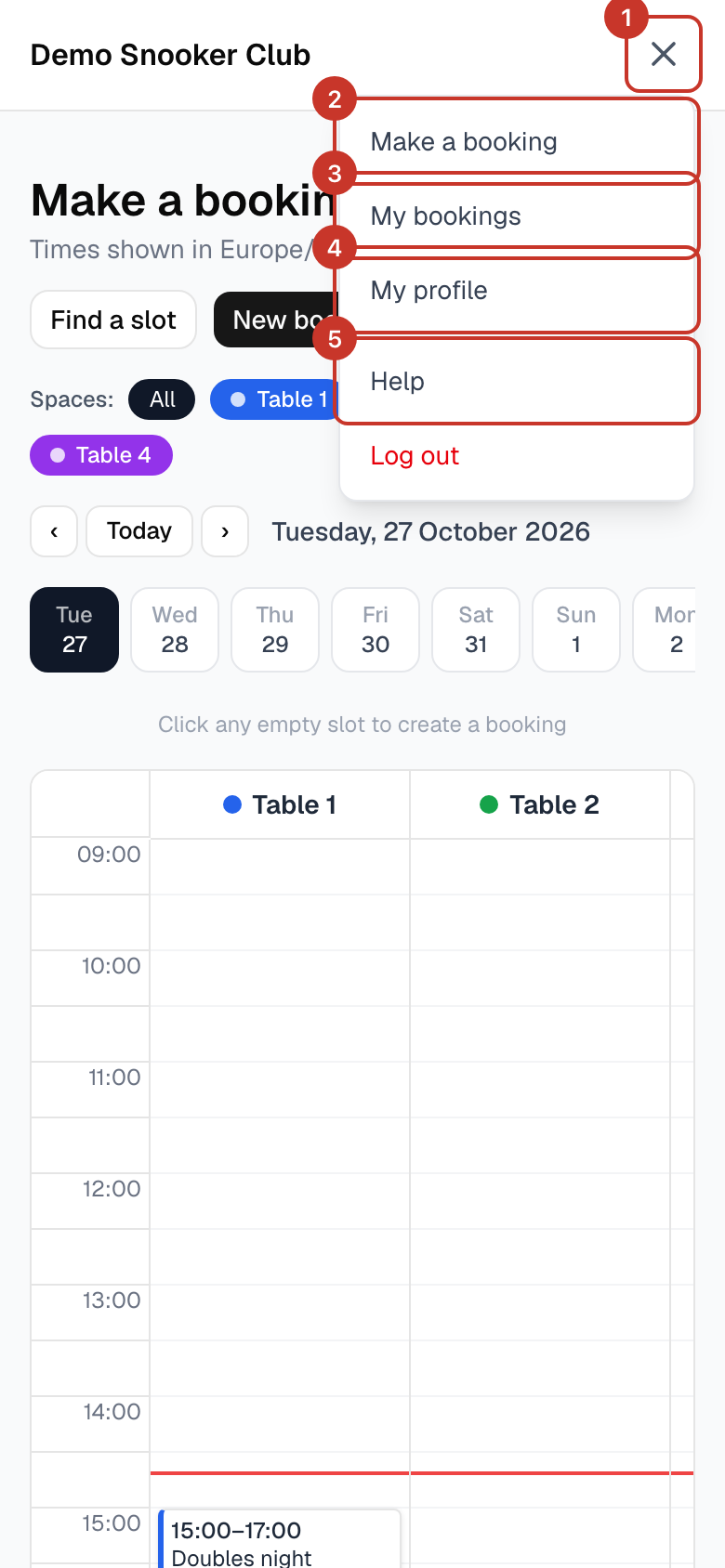
Step 2: Make a booking opens the calendar of tables, where you book.
Step 3: My bookings lists the bookings you are on.
Step 4: My profile is where you change your name, phone number or email address.
Step 5: Help opens these guides in a new tab.
Step 6: If you belong to more than one club, Switch club lists the others. Log out is at the bottom.
What happens next
- Club admins also see extra items for insights, spaces, closures, members, importing bookings and settings.
If something goes wrong
- I cannot see the menu items an admin told me about.
- Admin items only appear for people with the Admin or Owner role. Ask a club admin to check your role.